According to Tavess Research mobile money in emerging markets of Middle East, Asia, and Africa, is expected to cross 1 billion users by 2015 with India accounting for over 100 million subscribers.
Enabling purchases and transfers using mobile devices as wallet, mobile money has become an imperative service particularly in areas with high mobile penetration and limited banking facilities.
In these areas, operators are laying strong emphasis on providing enhanced mobile banking services that are increasingly being adopted by consumers who are looking for secure and convenient banking and bill payment options.
Although in nascent stages, the 790 million mobile subscriber base and the huge unbanked rural population makes India a very attractive destination for this service. Initiatives, such as Reserve Bank of India’s (RBI) easing of stringent regulations pertaining to mobile banking via increase of cap on fund transfers from INR 5,000 to INR 50,000; and new interbank mobile payment service launched by the National Payment Corporation of India (NPCI), are nurturing the required ecosystem for increased roll-out and adoption of mobile money.
NPCI is currently receiving a lukewarm response with 10 million users registered for interbank mobile payment service recording transactions worth only INR1.5 crore ($.33 million) in April 2011. However, Tavess expects greater adoption of mobile money in the near future with service providers launching customer education campaigns and easy to use functionalities – taking the total subscriber base to 100 million by 2015.
The mobile money service mChek has seen the maximum uptake in the Indian market with two million subscribers followed by NG Pay with one million and others (such as , Airtel Money, PayMate and Mobile Money Services – Nokia’s initiative along with Yes bank).
Lack of well developed regulatory frameworks, maintenance of cash floats, and lack of technical know-how continues to be the key challenges in mobile money service adoption
Despite the success of mobile money service in emerging markets, its adoption is still not widespread due to various challenges pertaining to lack of a well developed regulatory framework for mobile payments, maintenance of cash floats by agents residing in rural and semi rural areas (who are required to make regular trips to far away banks for maintaining cash floats), lack of technical know-how among users, and mandate by a few mobile payment services for subscribers to have bank accounts – making mobile money a challenging proposition for the unbanked rural population.
The key focus area for mobile operators targeting the mobile money market includes service customization to cater to the local population and localization of the go-to market strategies.. In addition, right pricing of the mobile banking service to provide affordable services to the subscribers while not compromising on the agent’s commission involved, is key to making the service attractive for both the subscribers and the agents.
Tavess believes that strong focus on localized mobile banking services provided at an affordable price will be the step in the right direction for the service providers to increase their current ARPU levels in this burgeoning mobile money market.
Even though they’re still trying to secure carrier partnerships for their products, Dell is no stranger in the Android space especially when it caught us by surprise with the original Dell Streak. Luckily for them, they were able to snag T-Mobile’s attention and get their latest venture, the Dell Streak 7, onto the lineup of the nation’s number four wireless carrier. When so many Android tablets require such a high premium cost of ownership, it’s utterly refreshing to see that the Dell Streak 7 is priced at $200 with a contract, and more importantly, it’s under the $500 threshold at $449.99 no-contract. Sharing some similarities with its 5” sibling, the Dell Streak 7 is fully committing itself into the tablet realm, but does it stand a chance against the competition?
The package contains:
Dell Streak 7
USB cable
Hands-free Headset
Wall Charger
Quick Start Guide
Design:
Instantly, we’re quickly reminded on how the Dell Streak 7 closely mimics the design of its slightly smaller 5” variant with its sloped sides, however, it decides to employ this tough plastic shell instead. Still tallying in at a manageable 0.49” thickness, we’re happy with the overall size of the tablet, which is quite comfortable to hold with even one hand, but there is a surprising amount of weight with this one. Furthermore, its screen is definitely a magnet for smudges and finger prints, but its plastic casing combined with its criss-cross pattern manages to handle well in keeping everything else looking clean. Taking most of its design cues from the original Dell Streak 5, we still find the implementation to work well with this one – especially for something regarded as a full figured tablet.
Taking advantage of its speedy HSPA+ connection, we find a 1.3-megapixel front facing camera for video chat and shooting self-portraits perched above its display, while the usual set of Android capacitive buttons are located on the right along the sloped side. Happily, the three buttons are finger friendly in size and we didn’t have any trouble pressing them; nor did we run into any problems accidentally hitting them.
Hidden beneath a wide plastic flap on the right edge of the tablet, both the SIM and standard sized SD card slots are safely tucked away to keep dirt and debris from messing with its innards. Also, the Dell Streak 7 utilizes two speakers which are located oppositely from one another on both edges. Placed rather in an unfamiliar location, the 3.5mm headset jack is the only other protrusion found on the left side of the tablet.
Meanwhile, the rigid feeling volume rocker and dedicated power button are sitting close-by next to one another on the top edge, and in fact, they exhibit a sensible response when pressed. If it were a smartphone, we would be appalled to find a proprietary charging/data connection port, but since this is a tablet we’re talking about, the one on the Dell Streak 7 doesn’t come as a surprise.
Compared to other relatively fresh Android tablets on the market, like the Motorola XOOM, some would assume that the Dell Streak 7 is diminutive in the processing category. However, you’ll be somewhat astonished to find a contemporary 1GHz dual-core NVIDIA Tegra 2 processor at the heart of this device. Somewhat uncharacteristic of such a high caliber chipset, we find some less than appealing choppiness going on when navigating across its homescreens – and even more when a live wallpaper is activated. However, it’s not to the point unwieldy, but we would like to see more fluid movements with its operation.
Dell didn’t do anything extraordinary with the Android 2.2 Froyo experience on this one, but it utilized its Stage user interface that we view as favorable thanks to its useful set of homescreen sized widgets. Of course, there are some enhancements to it over the stock experience, but considering that this is a much more powerful machine than the original, it would’ve been nice to see even a subtle customization. By now, Honeycomb is indeed the preferred choice for new tablets, but regardless, the overall experience with the Dell Streak 7 is still pretty satisfactory. Camera and Multimedia:
If you’re still planning to carry the Dell Streak 7 in your back pocket, there’s no denying the allure that goes behind taking candid shots with it – even for tablet! Unfortunately, we’re not all too thrilled by the so-so quality produced by its 5-megaixel auto-focus camera. After capturing some images, it produces some muddy looking backgrounds with slightly acceptable details with foreground images. Moreover, its cooler looking color output generally applies this ethereal effect which tends to make shots seem over-exposed.
The Novatel MiFi 2220 was a groundbreaking device when it launched, but it has been nearly two years since the 3G mobile hotspot device first hit the market. Since then Sierra has stolen most of the market with their 4G capable Overdrive mobile hotspot. Well Novatel is back with the MiFi 3G/4G 4082, adding WiMax and support for a memory card. Included with the MiFi 3G/4G you’ll get a microUSB cable, AC adapter, slip pouch and a beefed up 1530mAh battery.
We always liked the looks of the original MiFi 2200; it was a slim, sleek device and looked equally good in Sprint silver and Verizon black. This time around the MiFi is black with chrome accents (the Verizon 4G variant shares a color scheme) and looks very sharp. The MiFi 3G/4G is considerably thicker thanks to the 1530mAh battery, a considerable jump from the 1150mAh one found in the 2200.
The Novatel MiFi 3G/4G 4082 is black with chrome accents
Another key difference is the addition of a small LCD screen, with a concave chrome power button below. The function is very basic, letting you know your signal and battery strength, GPS status and how many devices are connected to the MiFi. There is an LED on the bottom of the MiFi 3G/4G that indicates which network you are using: green for 3G, blue for 4G or orange if you don’t have service.
The Novatel MiFi 3G/4G 4082 (L) next to the Novatel MiFi 2220 (R)
Also along the bottom is the microSD slot, microUSB charging port and a WPS button to enable security. We appreciate the addition of the microSD slot. By inserting a card (it supports up to 32GB) you enable network storage between any of the up to five connected devices on the MiFi 3G/4G. This isn’t a new feature (we saw it on the Overdrive) but it is a nice addition nonetheless.
Performance and Conclusion:
Performance on Sprint’s 4G WiMax network was on par with our past experiences. In our testing it averaged just over 7mbps down and just under 1mbps up with an average ping of 129ms. These results are slightly better overall than we got with the Sierra U250 when we did our 4G comparison. Novatel claims that you can get 4 hours of usage with the MiFi 3G/4G thanks to the larger battery, but heavy users will probably want to pack the charger or pick up an extra battery.
Pros
4G connectivity
microSD slot for network storage
Cons
LCD has limited functionality
Battery could be better
It was already outdone by the competition before it launched
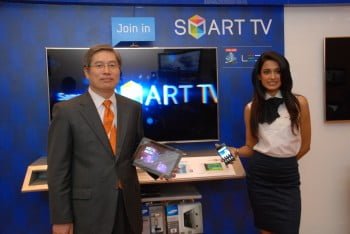
eading Mobile phone maker Samsung today said that it will launch GALAXY S II, the company’s much-awaited flagship Android smartphone phone in India in May 2011. However the company didn’t specify the price and exact date of the launch.
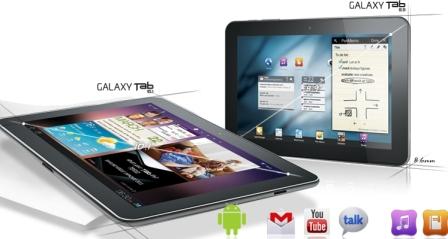
Apart from the GALAXY S II, Samsung also unleashes the Galaxy Tab 8.9 and 10.1 for Indian market. Both Tab will be launched in coming months in Indian market.
The new GALAXY S II smartphone will succeed Galaxy S, which was launched in India last year and helped Samsung take a lead role in Android smartphone segment. A lightning-fast, dual-core Samsung GALAXY S II powered by a 1.2Ghz processor, sports a 2.27-Inch Super AMOLED+ screen and runs on Android 2.3 (Gingerbread) customized with Samsung’s Touchwiz 4 user interface. Galaxy S II will have an 8 Mega pixel camera and 1GB RAM.
GALAXY Tab 10.1 – Samsung expands the Samsung GALAXY Tab range with a 10.1” entertainment powerhouse. A dual-core smart media device powered by Android Honeycomb, the GALAXY Tab 10.1 boasts its lightweight and thin design on a 10.1-inch large display. The GALAXY Tab 10.1 delivers the ultimate mobile entertainment experience to immerse users with its dual surround-sound speakers.
GALAXY Tab 8.9 – At just 8.6mm thin and weighing only 470g, the GALAXY Tab 8.9 is the perfect device for today’s mobile professional. Whether writing emails on a trip or reading an eBook on the couch, the GALAXY Tab 8.9 provides the ultimate tablet experience without compromising mobility.
Bharti Airtel today launched its most awaited 3G Mobile and Data services in Hyderabad – Andhra Pradesh telecom circle.
After Karnataka, Chennai -Tamilnadu, Rajasthan, Delhi – NRC, Mumbai, Bihar – Jharkhand; Andhra Pradesh is the 7th telecom circle out of 13 to get Airtel 3G services. Presently Airtel has its 3G Mobile services in 21 cities across India.
To activate the 3G service on Airtel subscribers need to send a SMS 3G to 121. After sending the SMS the confirmation SMS will come and 2G Data Plan will be de-activated.
After the confirmation by subscriber 3G Data Plan “Pay As You Go” will be activated and all data access will be charged at 30p / 20kb.The 3G local, STD and Roaming Video Call cost will be 5 paisa/sec (Rs.3/minute).
With launch of the service in the cyber city of Hyderabad, Hyderabadiscan now join the 2-million 3G mobile customers in India that are already leveraging the Airtel 3G advantage to experience a host of exciting capabilities including Mobile TV, video calls, live streaming of videos and on the go social networking – all at speeds never experienced before.
Airtel today also announced the launch of High Definition (HD) gaming for its 3G customers. With 3G powered HD games such as NFS Shift Super, FIFA11 and EACricket10 – gaming lovers across Airtel’s network in India can enjoy a console-like experience on their mobile handsets. On the B2B front, Airtel announced that it now offers special programmes catering to the 3G needs of enterprise customers.
Airtel 3G Tariff Plans :
Mr. Atul Bindal, President – Mobile Services, Bharti Airtel said, “We are humbled by the trust of over 16.5 million customers in Andhra Pradesh who have made us the market leader. In keeping with our commitment of bring the best to our customer, we today bring the Airtel 3G advantage to the tech savvy and youthful city of Hyderabad.
Over the next few weeks, we will be extending Airtel 3G services to other key locations such as Vizag and Vijawada. cities and towns of this state Our customers here can now join the 2 million 3G enabled customers in India.. We welcome you all to experience Airtel 3G services and join 2 million of our customers that are already enjoying this part of this all new world of possibilities.”
Nokia BetaLabs today introduced an exciting mobile application dubbed as Nokia Drop (similar to the dropbox) which allows users to easily drop content from their PC browser onto their device.
The first Beta release of Nokia Drop includes the following features: Drop Wallpaper, Drop Pictures and Drop URL.
To use this apps, Nokia S^3 device user needs to install a browser extension and the Nokia Drop application (QT client) on the device. After the applications are installed, the user can drop any picture or URL from any webpage onto his/her own device without the need for any cable or Bluetooth connection. Nokia Drop enables these files to be automatically saved on the phone.
Currently Nokia Drop is available for S^3 (Nokia N8-00, Nokia C6-01, Nokia C7-00, Nokia E7-00 and S60 5th edition (X6-00, 5228, 5230, 5235 Ovi Music Unlimited, 5530 Exp Musicdevices, C6-00, N97, N97 mini). The Supported browsers are: Chrome (latest), FF3.6.x and FF4.
Nokia Drop utilizes the Nokia Push Notification solution which optimizes bandwidth and battery use and therefore, ensures that users can enjoy a rich application experience with no adverse impact on device or data plans.
To Download Nokia Drop Application click here : Nokia Drop.
Idea's 3G services start from MP & Chhattisgarh, Gujarat and HP;
Plans progressive pan-India rollout of 'Gold Standard' 3G services to ensure unmatched customer experience in 200 towns by April '11 and 4,000 towns by 2012
Idea users to enjoy Video Conferencing, Video on Demand, Mobile TV, IdeaMall and high-speed Internet
Introduces Time based Billing plan for 3G services
IDEA Cellular, India's third largest mobile operator today announced the launch of its 'Gold Standard'3G services that will catapult mobile communication services and transform user experience. The third generation of mobile communication systems, 3G, lets customers use an extensive range of high-end data services on a wide variety of handsets and other devices.
Idea announced the launch of 3G services on its network in MP & Chhattisgarh, Gujarat and Himachal Pradesh today. To anchor the occasion, Idea unveiled a new 3G logo. The new branding will be implemented throughout India, across all customer touch points. Idea has set up 'Experience Kiosks' to provide a flavour of the services that customers can opt for. These will be available to all users at select 'My Idea' stores.
On the occasion of the 3G launch, Mr. Himanshu Kapania, Deputy Managing Director, IdeaCellular said: "3G services will mark the beginning of the next phase of India's telecom growth story and bring the sector on par with the most advanced telecom markets in the world. Beginning today, Idea subscribers will be the first in India to experience the Gold Standard in 3G services." Currently, 10% of Idea's over 86 million subscribers are said to be using 3G enabled handsets. It is expected that these users will be the early adopters of 3G services.
Idea's 3G services will be available in 200 towns by mid April '11, progressively growing at the rate of 10 towns per day to cover 750 towns by mid 2011, and 4,000 towns by the end of FY12. Idea has traditionally focused on growth from semi-urban heartlands of India and will continue to drive its 3G services from these industrial, agricultural and educational regions.
Speaking about the 3G network rollout, Mr. Ambrish Jain, Director – Operations, Idea Cellular, said: "Beginning with MP, Chhattisgarh, Gujarat and HP, Idea's 3G services will expand in a progressive manner to provide expansive coverage across 4,000 towns by year end. Idea will target areas of industrial and commercial activity, centres of learning, and high potential rural hinterlands where broadband is yet to make a breakthrough. Idea has set up the most extensive customer service network to educate customers on 3G and support their requirements, across the country." Idea's 3G services will enable users to avail Video Conferencing, IdeaMall Application Store, Mobile TV, Video on Demand, and high-speed Internet Browsing. IdeaMall is Idea's Application Store which offers an entire catalogue of games and applications on Web & Mobile platforms.
Idea's 3G services will offer the best mobile experience in downloading songs, streaming videos on YouTube, streaming audio, photo updates on Facebook, mail and other online media, movie downloads, watching mobile TV, e-mailing with attachments, blog postings, viewing photos, and Flash & HD Gaming. Idea 3G users will experience speed upto 21 Mbps on 3G handsets, and higher speed on other devices depending on the device capability.
Idea has introduced Time based Billing plan for 3G services enabling users to avail high-end data services without worrying about the volume of usage. To promote usage, Idea has introduced 'sachet' pricing offering attractive trial packages with per day billing.
To know more about Idea's 3G services, and to check handset compatibility, customers can log onto www.ideacellular.com/3g or call Idea's customer care helpline: 12345. To feel the difference personally, mobile users can experience 3G services at special 'Experience Kiosks' set up inside 'My Idea' Stores.
Idea won 2.1 GHz (3G Spectrum) in 11 circles – MP & Chattisgarh, HP, Maharashtra & Goa, Gujarat, Kerala, Haryana, UP East, UP West, AP, J&K and Punjab – which contribute over 80% of the company's revenues. Idea has planned a progressive roll out of 3G services in these locations. Further, Idea is finalising long-term arrangements with select quality operators for service areas where Idea was not awarded 3G spectrum. Together, these will enable Idea subscribers, throughout the country, to enjoy the Gold Standard in 3G services, apart from deriving the benefit of nation-wide roaming. About IDEA Cellular Ltd
IDEA Cellular is India's 3rd largest national mobile operator, with over 86 million subscribers. With traffic in excess of a billion minutes a day, Idea ranks among the Top 10 country operators in the world. Using the latest in technology, Idea provides world-class service delivery through the most extensive network of customer touch points. Idea is listed on the National Stock Exchange (NSE) and the Bombay Stock Exchange (BSE) in India.
IDEA Cellular is an Aditya Birla Group Company, India's first truly multinational corporation. The group operates in 26 countries, and is anchored by more than 130,600 employees belonging to 40 nationalities. More information on the Company is available at: www.ideacellular.com and on the Group at: www.adityabirla.com.
Here is the Motorola Defy review – a rugged Android phone which is available for purchase in UK, USA and hitting Indiasoon.The phone drew plenty of attention worldwide because it’s not only rugged but also smart !
The DEFY is a rugged smartphone. It is marketed as a complete smartphone solution for social savvy people with the added bonus of being dustproof, scratch-resistant and splash-resistant. Motorola calls it the lifeproof phone. I don’t disagree.
The DEFY is a rare breed in smartphones. Not only is it a smartphone, it is also capable of withstanding the daily abuse that life throws at it – and it does so stylishly.
When I first heard of the Defy, I expected to be greeted with a smartphone equivalent of a Panasonic Toughbook laptop, but no – the Defy looks like any normal smartphone. It is even smaller than my Nokia N8! It won’t take any design awards home as far as physical aesthetics is concerned, but it isn’t something you would be embarrassed to own. In fact it looks rather cute!
The Motorola DEFY comes in an eye catching compact box. Inside you will find the DEFY, a large 1540mAh battery, microUSB cable, 2GB microSDHC card, headphones and USB wall charger.
As a rugged smartphone, the DEFY is surprisingly small and light. It looks nothing like most rugged phones I have ever laid my eyes on. Hat tip to Motorola engineers for creating a rugged smartphone that not only looks normal but in fact stylish even.
The capacitive Touchscreen is incredibly sharp. The DEFY packs a 3.7″ LCD with a resolution of 480×854, and is covered by a Gorilla Glass ensuring that it is as scratch-resistant. Multi touch is supported. Colour rendition is accurate and not oversaturated as you would normally find on an OLED screen. Contrast could be better.
Just below the display are four capacitive touch-sensitive soft buttons. Personally I’ve never been too keen on touch-sensitive buttons as they are too sensitive, and thus prone to accidental presses.
On the top of the phone you will find the small power button and 3.5mm audio jack. The volume rocker resides on the right side of the phone, while on the left the microUSB port. A reassuringly large 1540mAh battery can be found behind the battery cover. The microSDHC and SIM card slots can be found below the battery. A 5 mega pixle with VGA 30fps video recording and LED flash resides close to the top of the back.
Looking around the Defy it is evident how Motorola managed to make it water-resistant. Not only is the battery door sealed well, the microUSB port and headphone audio jack are covered by protective flaps. But what truly surprises me was how small and light the DEFY is.
With a thickness of 13.4mm, it is barely thicker than my Nokia N8 but also significantly lighter (118g vs 135g). The lightness can be attributed to Motorola’s decision to use plastic. Some may see this as a bad thing, but I’ve seen no evidence that the built-quality is compromised by the use of plastic material. Overall the DEFY is smaller than the N8, but has the added advantage of having a bigger and more importantly, removable battery.
The DEFY is powered by Android 2.1 (Eclair) and Motorola’s own custom homescreen MOTOBLUR. The homescreen actually looks and feels like a normal Android homescreen.
The MOTOBLUR integration comes in the form of widgets. There are plenty of widgets to choose from, including Social and Status (for Twitter and Facebook), Weather, Contacts, RSS, Music Player etc. While the widgets are resizable, they are rectangular in shape, which makes them rather unattractive to look at.
The technical specs of the DEFY are modest. It runs on a 800Mhz TI OMAP3610 ARM Cortex A8 processor. The relatively slow processor (both in clock speed and out-dated architecture) coupled with Android 2.1 is evident when using the DEFY. I’ve shown a couple of HTC Desire owners the DEFY, and they’ve all commented on how laggy the DEFY felt.
512MB of RAM is available so you wouldn’t have any issues multi-tasking. There’s also 2GB of on-board storage for installing applications. A 2GB microSD card is also bundled with the phone. In addition to that, the DEFY packs quad band EDGE, dual band HSDPA, WiFi, Blutooth with A2DP, built-in GPS receiver, accelerometer – basically almost everything you would expect in a 2010 phone.
Like many modern smartphones, the DEFY has two microphones, one which is used to cancel out noise. Motorola dubs this the CrystalTalk technology. In-call quality is good and clear while I never encountered any issues with reception. Smart dialing feature is missing, though I didn’t find that I miss it at all.
The phonebook is brilliantly social savvy. You can link each contacts with their own Twitter and Facebook accounts, thus giving you an easy way to view any of your contact’s latest social updates. Linking the contacts is easy and painless, though isn’t as straight forward as Microsoft’s approach with Windows Phone 7.
Messaging is easy with the DEFY. Threaded messaging is here, and the built-in Swype support makes composing texts and emails a relatively painless process. Gmail is unsurprisingly supported and works in a way that you would expect it to, including option for push e-mail, labels and archives.
Web browsing is a breeze thanks to the high resolution screen. Despite running on Android 2.1, Flash is included. Zooming can be done via either double tapping or pinch to zoom. While multiple tabs are supported, text reflow isn’t.
Most modern smartphones are very well capable of replacing dedicated DAP (MP3 players), and the same can be said of the Defy. The music player, while basic, is intuitive. The audio quality is very good with overall good frequency response. It isn’t as good as the iPod Touch or N8, but most people wouldn’t be able to tell the difference unless they invest in $200 headphones.
As the DEFY comes with built-in GPS receiver, you can use as a SatNav device. Google Maps is preloaded, though if you want the latest and greatest you can always grab the latest Google Maps 5 via the Android Market.
The DEFY comes with a standard (in 2010 terms) 5 megapixel camera with LED flash. Video recording is limited to VGA resolution, which is disappointing but hardly surprising – Motorola never set out to make the DEFY a cameraphone. Still for a social phone you would expect better.
Unfortunately because the DEFY does not have a physical camera shutter button, it was impossible to take pictures underwater. I tried, but because the DEFY uses a capacitive screen, water makes it difficult to operate the screen. So forget about using the DEFY for cool underwater shots.
You can also forget about low light photography as the DEFY is poor at that. With good amount of lighting available, the DEFY managed to capture some decent pictures with good amount of detail. The camera UI is simple to use, with a handful of options available to the user (nothing manual).
So is it worth your time? Geeks will unlikely taken by it – the DEFY is slow compared to its other Android cousins and the lack of Froyo/Gingerbread will no doubt put some people off. But it isn’t without its charm. The DEFY is a competent smartphone competing in a category that has no competitors. There are no other rugged or semi-rugged consumer smartphones that looks as stylish as the DEFY on the market. If you are in the market for a clever social phone with the ability to keep up with your hectic lifestyle, then the DEFY is for you. Good
+ Small and stylish
+ Water, scratch and dust resistant
+ Good battery life integration Bad
- Slow , might be android upate might fix things
- Android 2.1
- Clunky looking widgets
Here is the FoneArena LG Optimus 2X review. And guess what ? It’s the first time we have reviewed a Dual-Core phone. Until recently LG was loosing ground in the smartphone race but they surprised the world when they announced the world’s first smartphone powered by a Nvidia Tegra2 processor. At CES 2011 , several handset makers announced products based on the Tegra2 but this is the first smartphone or super-smart phone to hit the market. LG needs a nice pat on the back for making the first move. Lets see how the device meets our expectations.
Interesting Features of LG Optimus 2X
GSM Quad Band , HSDPA 7.2 Mbps
World’s first Dual Core phone powered by Nvidia Tegra2
Dual Core 1Ghz CPU with Geforce GPU
World’s first camera phone to offer 1080p (1920x1080px) video recording
480x800 Capacitive IPS Display
8 MP Camera with LED Flash
1.3 MP video calling camera
1920x1080px Video playback , HDMI mirroring, DLNA
Android 2.2.1 with update to 2.3 promised
8GB memory , supports upto 32 GB microSD cards
Bluetooth 3.0 , WiFi b/g/n , aGPS
Browser with Adobe Flash Player 10.1
Stereo speakers
FM Radio
1500 mAh 3.7 V battery
Accelerometer , Gyro sensor
Hardware
The first thing you would notice about the phone is the huge 4 inch display which has great clarity and color reproduction. The display runs on a 800x480 px resolution. The left and right edges of the display have a minor curve towards the end and its nice to use.
You have a nice metallic bezel running though the sides of the phone which gives it a nice feel.
Although the phone is made of plastic for the most part, it does not feel cheap like other phones like the Samsung Galaxy S.
You have the video calling camera on the top right and lg branding in the center. The earpiece above the LG logo. The proximity sensor and ambient light sensor sit on the left.
Below the display are the 4 keys for common operations of the Android OS -- Menu, Home, Back and Search
Camera
The LG Optimus 2X is equipped with an 8 Megapixel camera, autofocus and an LED flash. The amount of detail in the pictures is great. The colour rendering is on the more natural side. No artificial colouring or over saturation.
The noise level is kept to a minimum even though it is present. The LED flash is not as powerful as a Xenon or Dual-LED so lighting up a dark room is out of the question. But it can do a decent job. Try avoiding using the flash while taking macros as it may wash away the colour of the subject.
Software
The phone comes with Android 2.2.1 build FRG83. We got to tell that Android 2.2 is not seriously optimized for dual core phones but despite that the phone runs fast. LG has promised an update to Android 2.3 Gingerbread for this device and we can’t wait to try our benchmarks with that update. Even with FroYo , most operations seem a lot faster than other Android phones in the market.
UI
We have a mixed feelings about the UI. While we loved the unlock screen and homescreens , the icons looks a bit inconsistent or out of place. You can configure the number of homescreen panels and add widgets to each homescreen. Both LG widgets and Android widgets can be added.The transitions and pretty smooth thanks to plenty of processing power. The weather widget is pretty cool and worth checking out.There were no lags during our test and it we never had to pull out the battery to restart phone.
The notification bar has shortcuts to Sound, WiFi , Bluetooth , GPS and Accelerometer.The music player is present below and can be turned-off if needed. Whats cool is that you can control the music even without unlocking the screen.
Apps
The phone comes with several apps pre-installed.Twitter , Facebook and Myspace for LG apps are social networking apps developed by LG for this device.There is a Browsing Protection app from F-Secure.
You can always download the latest apps from the Android market. There is LG’s App Advisor too which lets you discover the top rated apps in your country or globally.
Benchmarks
Here are some benchmarks of the Tegra 2 CPU on the Optimus 2X.
Just want to point out that most these android benchmarking tools available today support Dual core mobile phones.
Quadrant
Linpack
BenchMarkPi
Phone Calls , Messaging
Phone calls went through pretty fine and we did not experience any dropped calls.
SMS, MMS , Email are all supported. There is a built it Email client in addition to the Android Gmail app.
The keyboard support both landscape and QWERTY input and you always have the liberty of installing some Swype tools
The phone provides good integration of contacts with social networking sites.
Connectivity
The phone supports plenty of connectivity options include HSDPA and Wifi(n). You can also use the phone as a WiFi hotspot
The browser is pretty fast and supports flash content.
The Video out via HDMI is really impressive and we have a video which is processing currently to show you how it works.
Battery Life
This is something we were not expecting much as the Optimus 2X is the first dual core phone. But we were surprised as we could sail through a complete day with the phone. You might have to reduce the screen brightness to achieve this.With heavy usage like constant 3G downloading , video playback it lasted for around 12-13 hours . With minimal usage it can last close to 2 days with a single charge.
Conclusion
There are few things to complain about the Optimus 2X. There are a lot of things which LG has got right on this phone. There are some things which LG could have done better. It could have had a more premium external casing just to make it look special. They could have added a dedicated camera key, may be it was omitted to maintain a simple design. It would have been cool with Gingerbread on board but at least LG has committed that an update is coming . There will be more Dual-core phones hitting the market in 2011 but LG gets full marks for being the first. If are a person who loves to stay up-to date with the latest technology , you can go ahead and get the Optimus 2X, the future is here. It might take a while before other phones hit the market.
Currently the phone is available in Korea and is expected to launch in Europe this month followed by Asia. It is also rumored to hit USA this year. Pros
The story with Android has been quite similar these last few years: manufacturers seem to always be on the run to deliver bigger, faster, better, devices with more specs inside than anyone can humanly memorize. Dual-Core processors, 4.3″ screens, 3D displays, HD video recording… are all interesting, except they target what? maybe 5-10% of the users. The rest, well, they get very confused and somewhat overwhelmed with these features. They want a phone, that’s it. Maybe they want Facebook in there, a camera of sorts, and email would be a nice plus. For those, the Samsung Galaxy 5 is perfect.
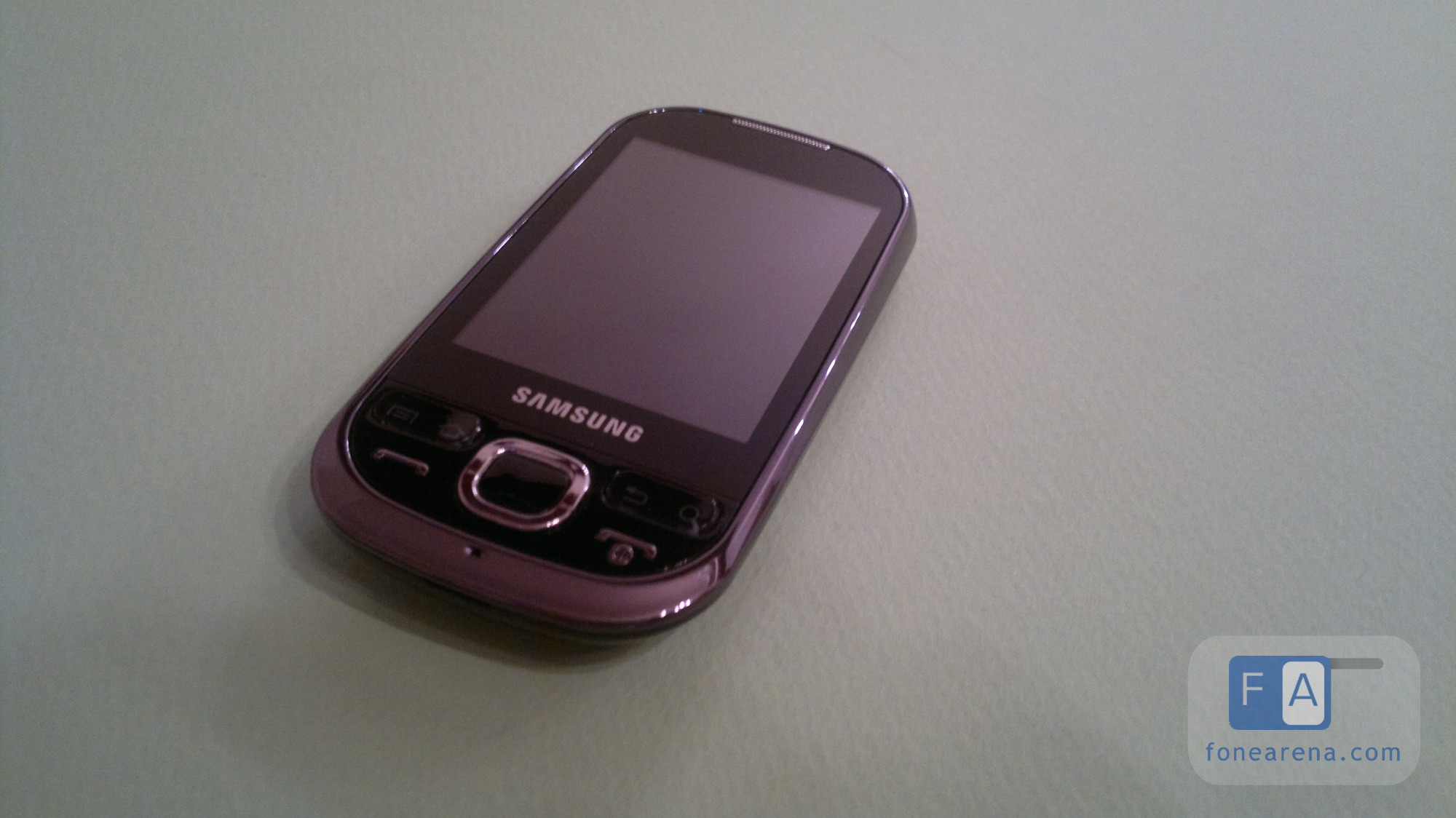
The Galaxy 5 is the smartphone brother of the iconic Samsung Corby, a device with a simple design, dedicated keys for calls, quite limited features in terms of camera and other hardware, but it packs Android Eclair 2.1 instead of Samsung’s dumbphone OS. But the question is does this mix work?
In a word, yes. The Galaxy 5 has everything in it to take the average Joe phone user, seduce him, and introduce him to Android and smartphones. Below is a list of 5 things to love about the Galaxy 5. 1. It runs Android Eclair 2.1: while being a bit old, Eclair is miles ahead of Donut 1.6. Some markets, specifically in South America, have shipped Froyo 2.2 for the Galaxy 5, making it quite a modern offer in terms of software. And despite all the hardware limitations, the software is the full Android version, with the Samsung TouchWiz UI on top.
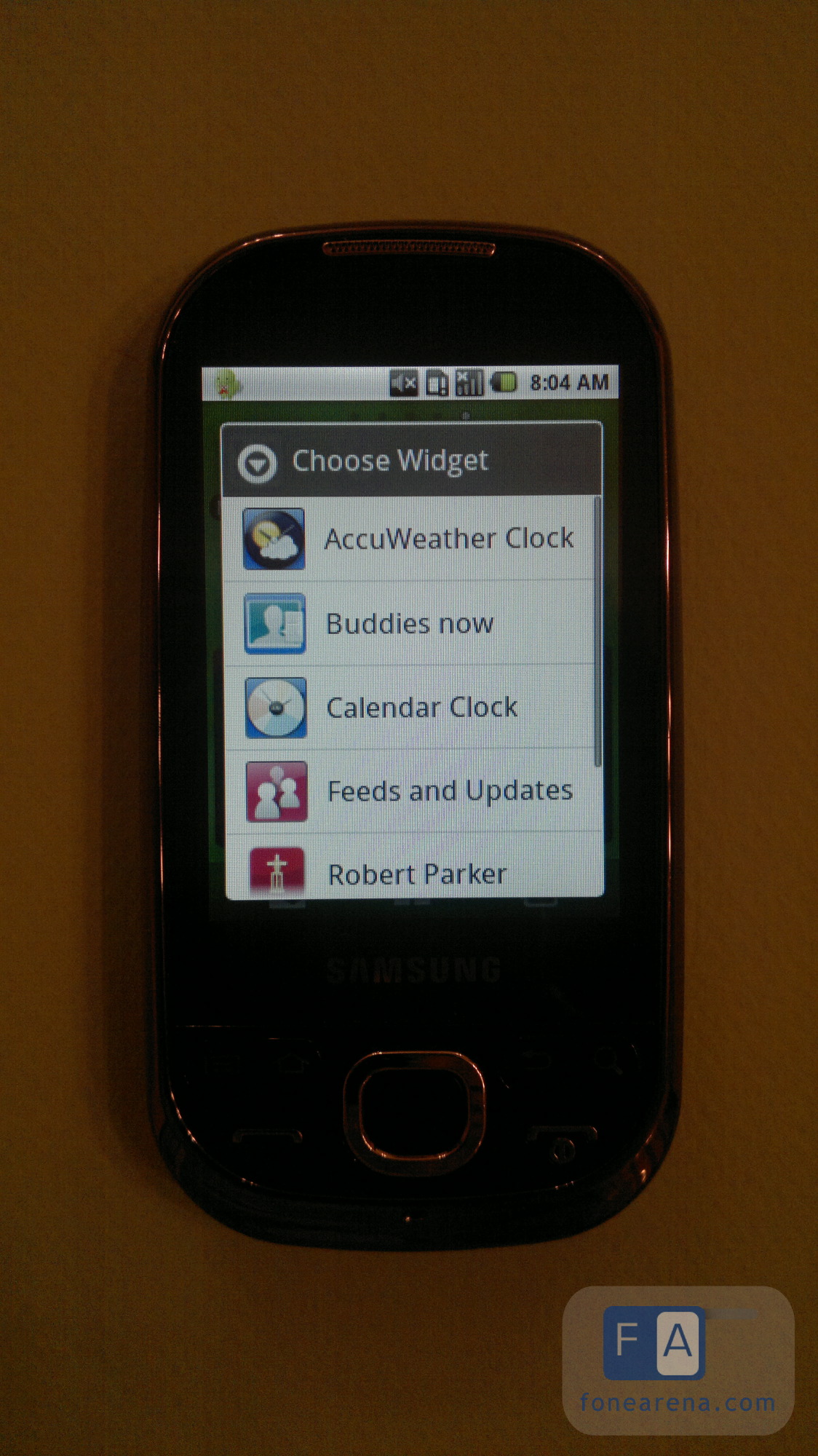
2. Samsung TouchWiz: although many people prefer the vanilla experience of Android, TouchWiz can easily get out of the way, letting you enjoy an almost plain experience. Yes, there is a set of Samsung-specific widgets, like Accuweather, Buddies, Feeds and Updates, but you can opt out of these and customize the homescreen as you prefer. The application menu is divided into pages of 16 applications each scrollable horizontally, which fits more on a small screen like this. The TouchWiz Gallery and Camera UI are really great to look at and use. Also included are many of Samsung’s specific applications like Type and Go, Files, but the notable ones are Layar and Swype. Swype specifically makes a nice difference as that keyboard is a lot easier and more convenient to use than the default Samsung keyboard, in both portrait and landscape.
3. D-Pad: when you have a screen as small as the 2.8″ one on the Galaxy 5, finger selection gets a bit complicated, no matter how small your fingers are. In the browser, while typing text, in selection windows, basically all over the phone, precise selection is quite difficult at least at first, so the D-Pad helps a ton with that. You can scroll through lists and text, select the items you want, move easily around the browser, point to and click a link, without a lot of trouble. 4. Dedicated Call/End Call keys: while everyone is moving away from physical buttons, a lot of people still look at these new smartphones and wonder how to call or end a call. The Galaxy 5 outcomes that by including a regular set of calling buttons, allowing anyone who picks it to know how to initiate a phone conversation or end it. It’s also one of the elements that make it look more like a regular phone and less like a smartphone. 5. Battery life: thanks to its small screen and less resource intensive processor, the Galaxy 5 is one of a rare breed of battery champions when it comes to Android devices. The battery will easily last a day, with moderate to intense use, and if you install something like Juice Defender, it will even get to 2 days with that amount of usage.
But the Galaxy 5 isn’t all rainbows and butterflies, and there are many limitations to its use. Here are the 5 things that we hate about the Galaxy 5. 1. Small touchscreen: the main hamper on the Galaxy 5′s use is its 2.8″ screen. If this wasn’t a touchscreen device, the size would have been more than enough, but going below 3″ on a touchscreen is quite unforgivable. A bump to 3″ or 3.2″ would have been greatly appreciated as there are some instances where the screen is just too tiny to be of use, and many applications won’t look decent on it, or are simply not available for it. 2. Non-TouchWiz’ed Music Player: everything on the Galaxy 5 is quite pimped up, UI-wise, thanks to TouchWiz, except the music player which is the default Android one. This sort of makes it look out of place on the device, and leaves the experience a bit inconsistent with the rest. 3. No GPS: while I do realize that something had to give in order to lower the price of the Galaxy, omitting a GPS chip and relying totally on network location is a bit sad in a day and age where voice navigation is becoming free, ubiquitous, and one of the selling points of smartphones. 4. Very limited Camera: this is another factor that had to be compromised to fit the price and size range of the Galaxy 5, but a 2MP camera with no AutoFocus is quite ridiculous. There are 3.2MP cameras around and even 5MP modules that could be a much better fit than this.
5. Tiny Memory: while the target demographic for the Galaxy 5 is not those who want to install hundreds of applications and games, it was still a bit sad to see the memory low warning with around 30 apps installed on mine. That warning gets a bit more frustrating if you’re running Eclair, since you can’t move some applications to the SD card to free space.
As you see, the Galaxy 5 is a phone that brings many of the regular phone features: with the D-Pad, dedicated call keys, small and pocketable size, and great battery life. It will lure the unsuspecting non-smartphone user into buying and trying it, thanks to its quite reasonable price, and then will present them with a smartphone experience. With Eclair, TouchWiz and the Market, users will find themselves attracted to trying new applications, fiddling around, arranging homescreens to fit their needs. There are very few limitations on applications that the Galaxy 5 can run, and while the hardware isn’t up to par, it will offer a full Android experience from the software side. I was personally able to load it with what I wanted, in terms of apps and personalization items, make it fit my needs, and get quite satisfied with it.
Except that there will come a time when the limitations will start annoying the user. After being attracted to Android, they will want a bigger screen to see more information and have better control over things, a faster processor, a better camera, GPS to use with voice navigation and augmented reality apps, and more memory for all their apps. The Galaxy 5 will be like a stepping stone, a transitional device of sorts from the non-geeky average usage for its owner, to a more involved and smartphone-aware owner who will start looking for more.
Ok, so you want to buy a smartphone. Great choice. Modern smartphones gives you robust email integration, great organization capabilities (notes, calendars et all), great internet browsing experience, and above all, great extensibility through applications. They are mini personal computers that you can carry around in your pocket.
Now, the next question is, which one ? The engine behind a smartphone is its Operating System (OS). This presents you with 5 great choices, each with its own pros and cons.
First lets see a few charts to set the context: Symbian is the most popular operating system with about 40% share in all handsets sold (as of Q2, 2010). RIM (BlackBerry), Android and iPhone OS follow behind with about 20% share each.
Market share of Smartphone Operating Systems (Source: Gartner, August 2010)
Yet, the developer ecosystems of iPhoneOS and Android are much more active. iPhone OS has the most apps available for it – over 200,000, while Android is second with over 70,000 apps (as of Q2 2010). Such a large range of app availability means that you are never short of new things to do with on these smartphones.
Number of Apps Available in App Stores (Source: Mobile Developer Economics, 2010 and Beyond)
Ok, now that the figures are out of the way, lets hit the road and consider each OS on the 2 most important parameters – user interface (how does the OS ‘feel’), and application availability (i.e. how many applications are available to extend the functionality of the phone – think news, social networking, dictionaries, productivity and other apps).
User interface is more important for most users, so it will be ranked on a scale of 10, while application availability will be ranked on a scale of 5. The sum of these two scores will be the final score for each OS.
Please note that we are only considering the operating systems for touch screens (which form a majority of the smartphones these days) – in fact, operating systems such as iOS (iPhone OS) and Android are designed only for touch screens.
Now, lets look at each OS in detail. If you are interested in only the final scores, skip to the bottom of this article.
Symbian
The oldest smartphone operating system. If you have owned a Nokia smartphone, you are probably familiar with this OS.
Symbian was earlier a separate company but was acquired by Nokia in 2008. Today virtually all Nokia smartphones as well as some of the smartphones from the likes of Sony Ericsson, Samsung and LG are based on this OS. Lets rank it on the important parameters
User Interface (for Symbian S60) : 6/10
How do we put this ? As far as touchscreen phones are concerned, Symbian is robust and reliable, but its not really quite as intuitive as Android or iPhone OS.
Things which would require a 1-2 taps on Android tend to require 3-4 on Symbian with its often redundant sub menus. Still, its pretty solid, and doesn’t take much time to get used to.
Here is a look at the Nokia X6, based on the Symbian S60 Fifth Edition.
User Interface (for Symbian 3) : 7/10
The new version of Symbian – Symbian 3 – available in the newer Nokia smartphones including N8 – revamps the ageing OS a bit, and improves the user interface, bringing in multiple personalized home-screens, pinch to zoom functionality etc, but still falls short of the more modern operating systems like Android in terms of intuitiveness.
Here is a look at Nokia N8, based on Symbian 3.
Application Availability : 2.5/5
Being the oldest among the big smartphone platforms (and the most popular), there is a decent variety of applications available for Symbian. The new Ovi Store makes it easy to browse and download apps straight on your Nokia smartphone. And a renewed push to the developer ecosystem (including introduction of carrier billing in several countries) indicates that Nokia is prepared to give a good fight in the face of hard competition.
That said, however, the variety of applications, currently available, still falls way short when compared to Android or iPhoneOS (see chart).
Android
Anything from the house of Google is bound to generate hype and interest, so in a sense Android was always destined to be successful. But it would be this successful, not many imagined. With great overall performance, and simple, sensible functionality that is the hallmark of virtually all Google products, Android has caught on the imagination of mobile manufacturers like no other OS.
User Interface : 9/10
Android interfaces by the likes of HTC and Sony Ericsson have been praised unanimously as being beautiful and intuitive. Even the plain vanilla interface adopted by some manufacturers is pretty good, and makes up for its lack of flair with simplicity of use.
So Android gets a clear thumbs up here. It would have been foolish to expect anything else from Google anyway – they are great at designing brilliantly usable interfaces.
Here is a video demo of HTC Desire, running on Android.
Application Availability : 4/5
So far the only platform to come even remotely close to challenging the number and variety of apps on iPhone OS, the Android application market has grown by leaps and bounds ever since its release. In fact it gets a leg up on the iPhone app store in terms of the ratio of free applications to paid applications.
Free vs Paid Apps (Source: Distimo Report, Jun 2010)
In fact some of the really good apps for Android are those already on the phone and created by Google itself – the troika of Gmail, Google Calendar and Google Maps, are brilliantly designed and sync flawlessly with your online accounts.
For instance, all your phone contacts are synced with your Gmail contacts, in effect you always have a backup of your phone contacts in your Gmail account, so absolutely no worries on that account, if your phone ever gets lost or stolen.
Windows Mobile 6.5
The mobile OS by Microsoft has been a decent, robust choice for business phones. Although often criticized for a dull interface, recent phones by the likes of HTC have managed to, at least partially, turn that perception on its head, with slick and intuitive interfaces built on top of the Windows Mobile platform.
User Interface : 6/10
Although the Windows interface brings with it robustness, it still fails to match up to the best in class in terms of easy of use.
Here is a look at the Samsung Omnia 2 with Windows Mobile
Application Availability : 3/5
Like Symbian, Windows Mobile has fallen way behind in the app race, even with its head start. Still it has a decent app variety backing it up, and the Windows Market Place provides an easy way to download and install apps.
Of course, one great thing is that Windows Mobile also packs Office mobile, which means you have reading/editing documents, spreadsheets and presentation straight out-of-the-box, which is obviously great if you need access to such files on your mobile.
Windows Phone 7
The most anticipated development in the smartphone market in recent times has been the launch of the new version of the mobile OS from Microsoft. Called ‘Windows Phone 7?, its beautifully designed, and radically new interface has impressed one and all with its focus and simplicity of use. It represents a fresh start for Microsoft in this domain, and the initial reviews indicate that they are right on target.
User Interface : 9/10
Introducing new elements such as ‘live tiles’ (links to applications and features that are dynamic and update in real time – for example, the tile for an email account would display the number of unread messages) and ‘hubs’ (for example, the Pictures hub shows photos captured with the device’s camera and the user’s Facebook photo albums) , Windows Phone takes a new, fresh approach to a smartphone, managing to achieve both functionality and ease-of-use together.
Here is a demo of the Windows 7 User Interface (phones will be commercially launched by the end of 2010):
Application Availability : 2/5
Being a completely new OS, old Windows Mobile apps will not be able to work on the Windows Phone 7. That means the OS has to take a fresh start, and will not have a well loaded app store to begin with. However, Microsoft is pursuing developers aggressively (Twitter, Ebay and IMDB apps have already been developed), and you can expect a lot of action in this space shortly.
BlackBerry OS
The big daddy of business phones – RIM – relies on the sturdy BlackBerry OS to power its handsets. Its strength, like that of the Symbian OS, is more in its robustness, than ease of use.
User Interface (BlackBerry OS 5) : 6/10
Like the Symbian interface, BlackBerry OS is smart, and gets work done, but not as fast, or as intuitively as Android or iPhone OS.
Here is a look at the BlackBerry OS 5 user interface on the BlackBerry Storm 2
User Interface (BlackBerry OS 6) : 7/10
The new version of the BlackBerry OS is a significant upgrade – with a more functional home-screen, social feed apps, a better browser and a more touch-friendly interface in general. BlackBerry Torch is the first phone to utilize it so far, and more phones will be launched shortly.
Here is a look at the new user interface on BlackBerry Torch.
Application Availability : 2.5/5
Again app availaibility is not as great as some other operating systems. But you will certainly find all the major apps there (no serious developer would give the BlackBerry a miss, with its lucrative business consumers). The BlackBerry App World provides easy access to these apps.
Like Windows mobile OS, BlackBerry also usually packs capability for reading/editing documents, spreadsheets and presentations straight out-of-the-box, catering to its major market of business users.
iPhone OS (iOS)
The iPhone was that one revolutionary device that changed the way we looks at phones. Forever. Never had the simple phone been transformed into something so brilliant, and so beautiful.
User Interface : 9/10
Apple is the expert at designing beautiful and intuitive interfaces, and they hit the jackpot again with the iPhoneOS. Successive versions have improved usability even further. Really you have to use the iPhone to grasp the beauty of the software.
Here is a look at the iPhone 4 user interface.
Application Availability : 4.5/5
With the highest number of apps amongst any app store, Apple is the clear leader and offers an astounding choice of apps to iPhone users (see chart). There is an app literally for everything! News, reference, sports, weather, shopping, tv, movies, games, notes, organizers, social networking – virtually every possible category is loaded with hundreds of apps.
Final Scores
Here is a look at final scores.
Smartphone
Operating System
User Interface
(On Scale of 10)
Application Availability
(On Scale of 5)
Total
(On Scale of 15)
iPhone OS
9
4.5
13.5
Android
9
4
13
Windows Phone 7
9
2
11
Symbian 3
7
2.5
9.5
BlackBerry OS 6
7
2.5
9.5
Windows Mobile 6.5
6
3
9
Symbian S60
6
2.5
8.5
BlackBerry OS 5
6
2.5
8.5
The iPhone OS and Android emerge out as the clear winners. Its tough to decide between them, but you can’t go wrong with either of those two. They are both intuitive and well designed. Windows Phone 7 is the new kid on the block to watch out for. It presents a completely fresh, new interface that is great at getting things done quickly, and should appeal to a large segment of users looking for no-nonsense phones.
BlackBerry and Symbian are solid operating systems in their own right, and have large (and loyal) user bases. But in an objective analysis they tend to fall behind a little when compared to the best-in-class. They will need to ramp up their game a bit (which they do seem to be doing with their latest versions), to stay among the top contenders in the long term.
On the whole though, this is an exciting time to buy a smartphone, with a large variety of good products to choose from. And as the competition heats up further, continue to expect a lot more action in this space.
[Reproduced from the PhoneCurry Blog; PhoneCurry is a website that helps Indians decide which phone to buy ]
Nokia E5- A Multifunctional Smart phone Series Mobile E5 launched in Indian Market with cool features like 5 Megapixel Camera, 250 MB inbuilt Memory, Wi-Fi, Bluetooth, long last battery backup, in-built social media applications like Facebook, Twitter, Myspace, Orkut and many more. The OVI Store support. The Nokia E5 Mobile price in India
Dell XCD35 Price in India: Dell the well known computer sales company Launched new mobile Dell XCD 35 in India. Dell XCD 35 have good features like Wi-Fi, location awareness, thousands of apps through Android, 3.2 MP Camera, 200 MB Internal Memory and support up to 16GB SD Card ans also 800*480 pixels WVGA resolution. DELL XCD35 Price in India as below:
Specification of Dell XCD35: Operating System:
Android 2.2 (Froyo)
Processor:
ARM11, 600MHZ
Bands:
GSM 900/1800/1900 MHz, UMTS 2100 MHz
Display:
8.9cm(3.5 inch) 800*480 pixels WVGA resolution
262K color (18 bit color) TFT
Capacitive Touch screen
Camera:
3.2 MP Color CMOS with Auto focus
Memory:
Flash: 512M
RAM?256M
Internal Memory: About 200 MB for user.
Expandable with Micro SD memory card (up to 16GB)
Connectivity:
Bluetooth™ with v2.1 with EDR
Class 2 transmit power
IEEE 802.11b/g compliant
Internal WLAN antenna
USB 2.0 with High Speed
Micro-USB
Micro-SD card access
Support USB charging
Dimensions:
114mmx56mmx12.2mm
Advertised System Weight: 120g Primary Battery: 1250mAh Li-ion Dell XCD35 Price in India: Rs.16,990/-*
Spice mobile launched news mobile with projector facility with the name of Spice Popcorn Projector M9000 in India. now user can watch his photographs and video on big screen with using this Spice Popcorn Projector M9000. M9000 also support for document viewer like MS Word file, PDF File etc. Spice Popcorn Projector M9000 also Supports application like Naukri- search jobs on the go, Wapedia – mobile wikipedia, Opera mini browser, Nimbuzz – multichat Skype, MSN, yahoo, ICQ, AIM, Google , ibibo, Zenga TV – Watch live TV on mobile, Snaptu – Social networking consortium with quick access to the various social networking websites – Twitter, Facebook, Flickr, Picasa, News, AccuWeather, Sports (Cricket, Soccer…) , Movies, Sudoku, Mobile Tracker
Specification of Popcorn Projector M9000:-
General Specification
Product type : Bar
Network(MHz) : 850/900/1800/2100
Dimensions : 119.2×50.3×17.35 mm
Weight : 123g
Talk Time : Up to 3.5 hrs
Stand by Time : Up to 300 hrs
Antenna Type : Internal
Battery Power : 1200 mAh
Storage
Phonebook Capacity : 1500
Memory Card Type : T-flash
Memory Card Support Capacity : 16 GB
Phone Memory : 87 MB
Display Screen : 6cm QVGA , 320×240 resolution
Sound
Ring Tones : 64 Poly, Mp3
Speakerphone
User Profiles
Caller Group
Language Support : English
Messaging
SMS 1000
SMS Templates
MMS
Concatenated Messages
Send to Many
Send to Group
SMS Counter
Email
Applications
Java
Games
Incoming Call Guard
World Clock (Format12/24)
Alarm
Calculator
Currency/Unit Convertor /No
Calendar
To-Do List
Caller Group
Vibrator Mode
Auto Power On/Off
FM Radio
FM Recording
Scheduled FM Recording
Wireless FM
Connectivity
WAP
GPRS
Bluetooth
Bluetooth version 2.1
Data Cable
Handset Manager
Remote Control for PC via Bluetooth
Camera
Photo Storage Capacity 87 MB+T-flash
Single Touch Camera Operation
Zoom Level
Brightness Level
Multi Shot
Night Vision
Photo CLI
Video Recording @ 15 fps
Video Storage Capacity 87 MB+T-flash
Wide Screen Video
Video Playing (FPS rate) @ 25 fps, 3gp, mp4, avi, flv, rm, rmvb
Pixel Size(coreband) : 3.2 mega-pixel
Spice Popcorn Projector M9000 Price: Spice Popcorn Projector M9000 Price is Rs. 6000* in India.